Nine measurements.
One analysis pass.
What you just watched resolve isn't a mockup — it's the real app, captured straight off the screen. One continuous analysis of whatever's playing, split nine ways — spectral content, level, phase, and every number a mastering pass actually checks.
One panel.
Nine views.
Same signal, nine ways of looking at it — laid out so a problem shows up on whichever module happens to be looking for it. Every screenshot below is the real app, not a mockup. Eight of the nine can be individually set to Minimal, Regular, Flashy or a fully Custom look — these are shown in Flashy.
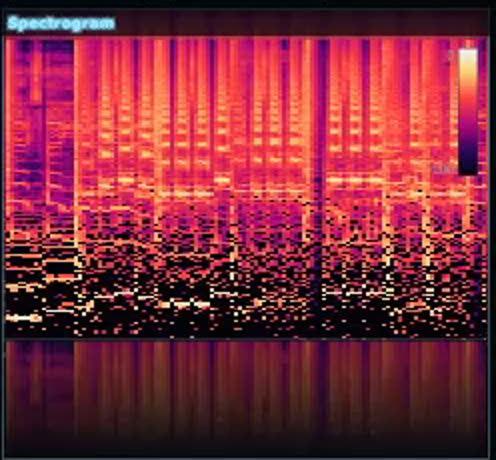
Spectrogram
Minimal · Regular · Flashy · CustomFrequency content over time, intensity-mapped, 20 Hz – 20 kHz — where energy has been building, not just where it is right now.
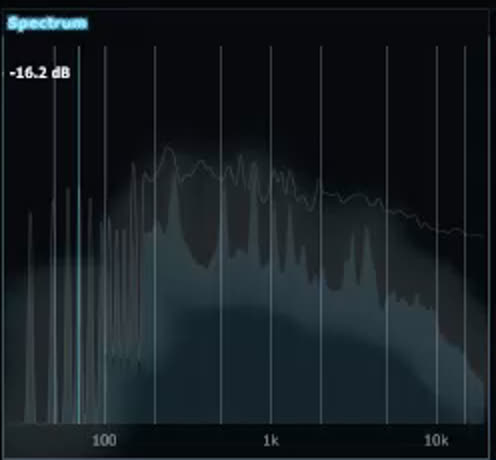
Spectrum
Minimal · Regular · Flashy · CustomReal-time frequency balance with a peak-hold marker, so a resonance or a hole in the mix is visible at a glance.
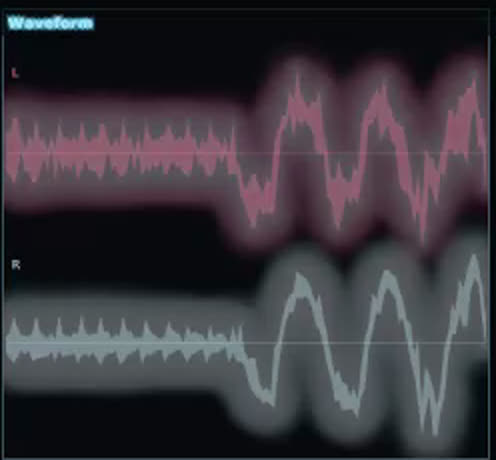
Waveform
Minimal · Regular · Flashy · CustomDual-lane left/right envelope, min and max per pixel column — level and channel balance in one shape.
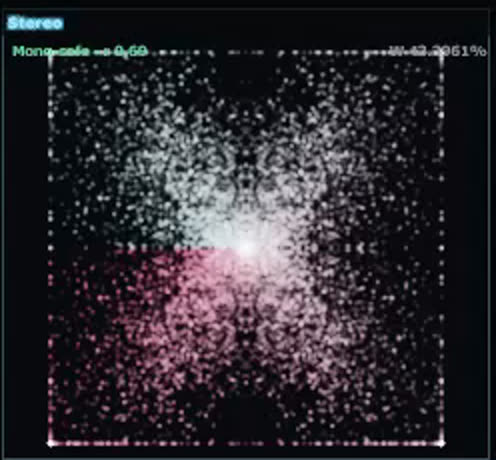
Stereo
Minimal · Regular · Flashy · CustomA goniometer field, colour-mixed by angle — mono sits vertical, phase problems fan out sideways.
VU
Minimal · Regular · Flashy · CustomA classic analog needle reading real peak level against safe/warn/clip zones, with peak and clip lights that latch on and stay lit for the rest of the session until you reset it.
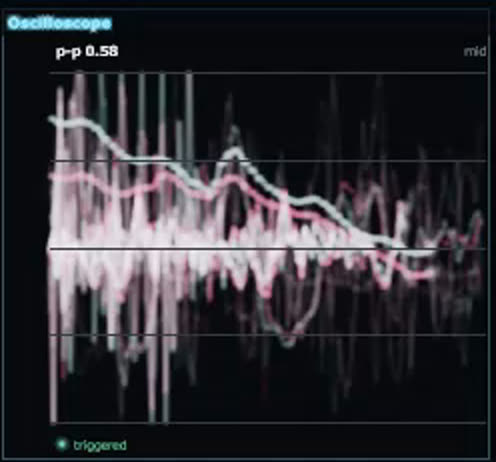
Scope
Minimal · Regular · Flashy · CustomA trigger-locked oscilloscope — it waits for the waveform instead of redrawing a random slice, so the trace holds still enough to read.
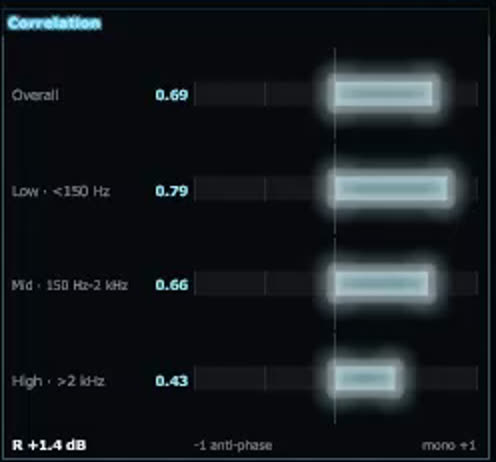
Correlation
Minimal · Regular · Flashy · CustomOverall, low, mid and high-band correlation — so a phase issue hiding in one band doesn't get buried in the overall number.
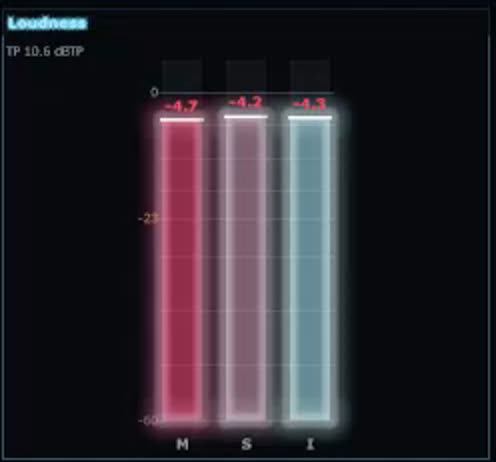
Level
Minimal · Regular · Flashy · CustomMomentary, Short-term and Integrated LUFS side by side against the −23 LUFS broadcast reference — measured with a real EBU R128 engine, not an approximation.
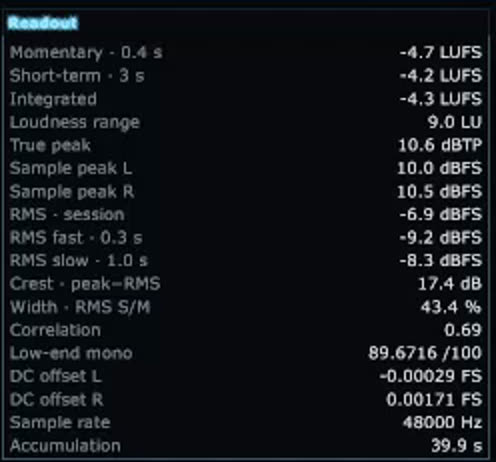
Readout
Every figure the other eight only show a slice of, in one place: Momentary / Short-term / Integrated LUFS, Loudness Range, true peak, per-channel sample peak, session / fast / slow RMS, crest factor, stereo width, correlation, a low-end mono score, per-channel DC offset and sample rate.
Floating window, or docked to the screen edge.
Vaylo Meters isn't locked to one window. Open it as a normal plugin editor, or pin it somewhere it can't get buried under everything else you're working in.
A borderless, always-on-top window with a Pin-to-top toggle — float it wherever you're working, above any app, not just your DAW.
Reserves real screen space at the top edge of your monitor — the same OS-level trick the taskbar itself uses — so a maximized DAW window gets pushed down below it instead of covering it.
The docked strip is owned by the plugin's engine, not its editor window — close the plugin's UI inside your DAW and the strip stays put, still measuring.
The docked strip's Undock control only appears when you hover it — at 96px tall there's no room for chrome competing with the meters for space.
Every module, your read on it.
Not just an on/off toggle — the panel is built to be rearranged around how you actually work.
Prism, Studio Neutral, Obsidian Green, Graphite, Ice, Ember, Neon Violet, Sunset Gold, Mint Fresh, Royal Indigo, Blood Moon, Arctic Mono — or a fully Custom palette.
Spectrogram through Level can each independently be set to Minimal, Regular, Flashy or Custom — mix styles across modules if that's what reads best to you.
Pick which of the nine modules the docked strip shows and in what order — a lighter four-module strip for a quick glance, or all nine for the full picture.
Click any module to reset it — that clears the actual measurement engine (integrated LUFS, loudness range, correlation), not just what's drawn on screen.
Built on one continuous analysis pass.
The nine modules aren't nine separate tools glued together — they're nine views onto the same running measurement.
Dual analysers
Left and right channels run through independent analysers at a 4096-sample FFT, refreshed every frame — spectrogram and spectrum both read from this.
Loudness, properly weighted
Real EBU R128 loudness via libebur128 — the same reference implementation broadcast tools use, not a hand-rolled approximation — feeds a rolling window for Momentary, Short-term and Integrated LUFS.
Phase and correlation, by band
Mid/side band-splitting measures correlation separately across low, mid and high, so a phase problem shows up exactly where it's hiding instead of averaging out.
A scope that waits for the signal
The oscilloscope trigger-locks to the waveform instead of redrawing a random slice every frame, so what you're looking at is actually readable.
Everything you'd check, in one glance.
Every module reads the same real-time analysis — no separate plugins, no exporting to check loudness in one tool and phase in another.
Every meter has a Readout counterpart underneath it — true peak, RMS, crest, correlation — the actual figures, not just a shape to eyeball.
Everything above runs live against whatever's playing, so a phase or level problem gets caught while you're still mixing it.
The spectrogram, the scope, the goniometer — all of it is drawn from the current signal, frame by frame.
“Add a quote from a mixing engineer or beta tester here.”
— Name, role“A second quote goes here — keep it short and specific.”
— Name, role“A third, if you've got one worth featuring.”
— Name, roleGet Vaylo Meters.
One licence, every module. A one-time purchase for your own computers, unlocked with a serial number and your Vaylo Studio account.
- All nine modules
- Two computers per licence
- Serial number emailed to you and kept on your account
- Free updates within v1
Needs a free Vaylo Studio account. Replacing a computer? Remove the old one on your account page and activate the new one. The plugin asks you to sign in again every 7 days, which needs an internet connection.
Questions, answered.
Is the analysis really real-time?
Yes, inside the actual app — every module runs off one continuous measurement pass against whatever's playing in your session. The screenshots and demo clip on this page are real captures of it running, not a simulation built for the page.
What does each module measure?
See the module breakdown above — spectrogram, spectrum, waveform, stereo field, VU, oscilloscope, correlation, level and a full numeric readout, all from one continuous engine pass.
Which DAWs / platforms are supported?
A standalone VST3 — load it on any track or the master bus, in any VST3 host. Windows 10 and 11, 64-bit. There's no macOS version at the moment.
Is there a free trial?
Not at the moment. Vaylo Meters is a one-time CA$10 purchase that covers two computers.
How does activation work?
After you buy, your serial number is emailed to you and shown on your Vaylo Studio account page. Load the plugin, enter the serial and choose Activate: your browser opens so you can sign in and confirm the computer. It stays unlocked for 7 days at a time, offline included; then it asks you to sign in again.
Where can I get support?
Email [email protected].